

your wine cellar, in stock
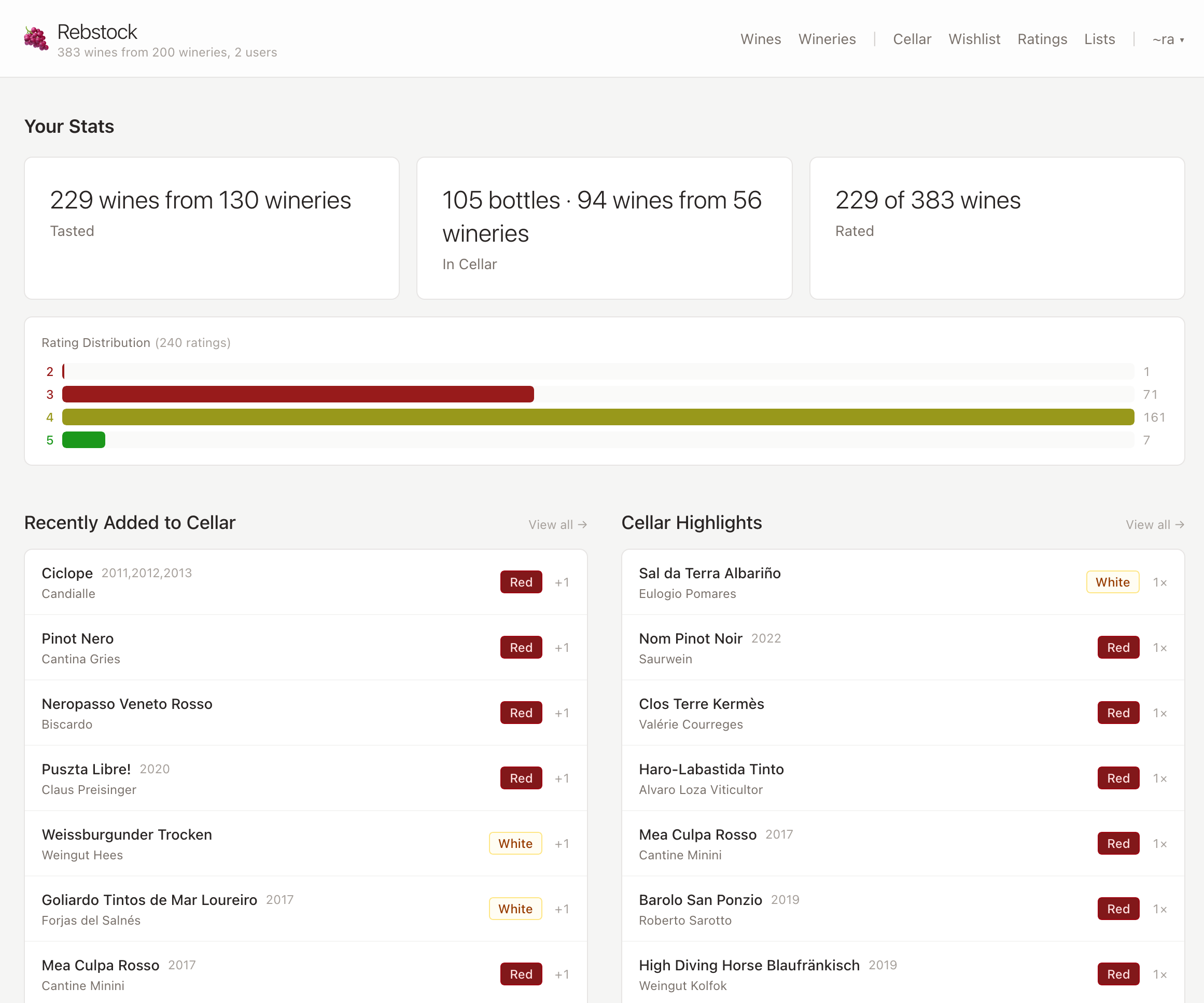
Rebstock is a self-hosted wine inventory for keeping track of bottles, purchases, ratings, and the wines you want next. It runs as a small Gleam service with SQLite, so your cellar data stays on your own machine.
Built for a real cellar
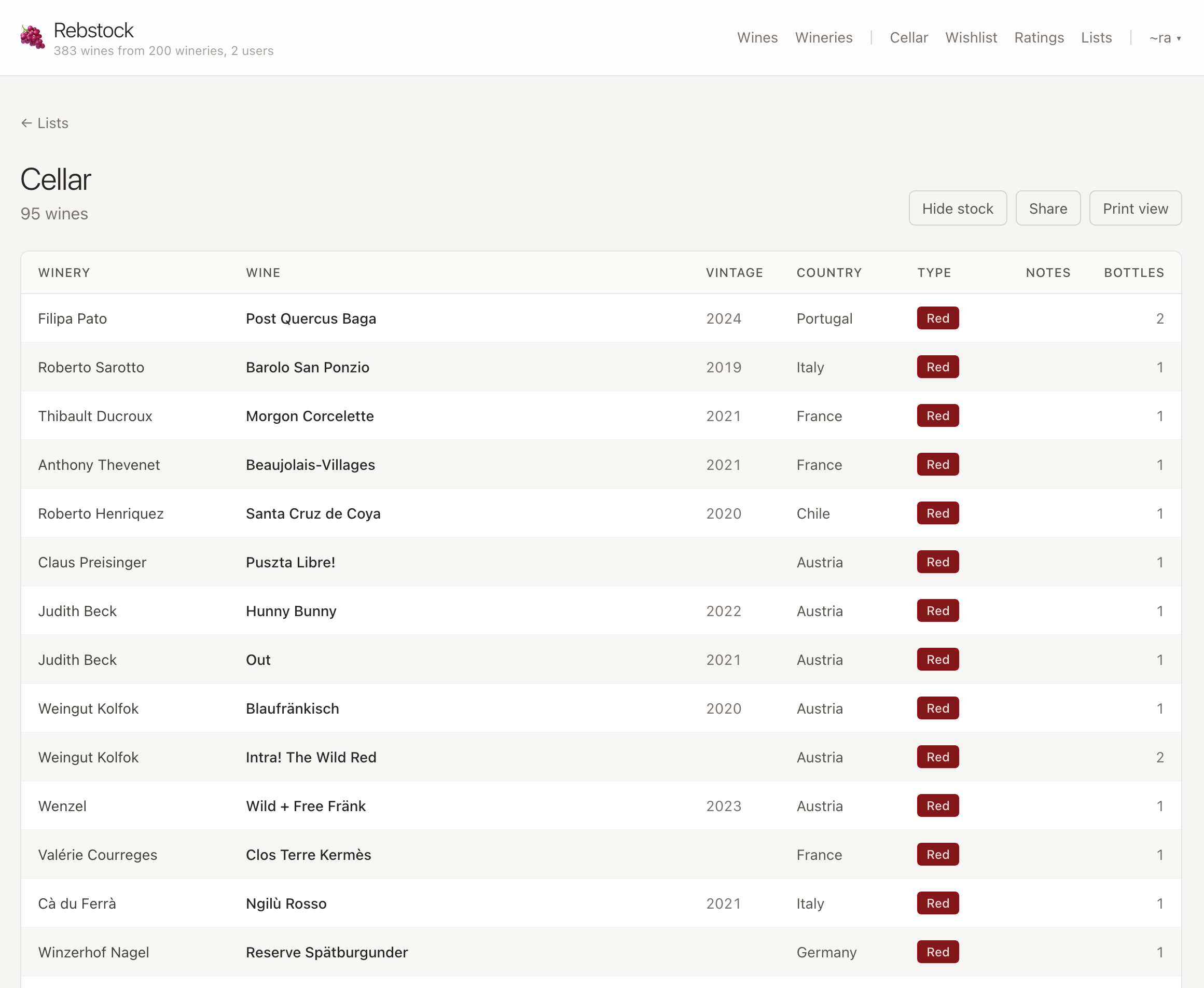
- Track wines, wineries, vintages, bottle counts, purchase prices, and consumption.
- Rate wines and keep a wishlist without handing the data to another service.
- Import a Vivino data export, including wine details and images.
- Publish a shareable wine list or print one to take into the cellar.
- Run as one automatic user or put Rebstock behind your reverse proxy’s forward authentication.
Install
NixOS
Add the flake and its NixOS module:
# flake.nix
{
  inputs.nixpkgs.url = "github:NixOS/nixpkgs/nixos-unstable";
  inputs.rebstock.url = "git+https://git.neonforest.org/ra/rebstock";

  outputs = { nixpkgs, rebstock, ... }: {
    nixosConfigurations.cellar = nixpkgs.lib.nixosSystem {
      system = "x86_64-linux";
      modules = [
        rebstock.nixosModules.default
        ({ ... }: {
          services.rebstock = {
            enable = true;
            host = "127.0.0.1";
            port = 3000;
            auth.user = "admin";
          };
        })
      ];
    };
  };
}
The module creates a hardened systemd service, stores the database and downloaded images in /var/lib/rebstock, and generates the application configuration. Put a reverse proxy in front of port 3000 for TLS and remote access.
Build from source
You need Erlang, Gleam, Tailwind CSS v4, and just:
git clone https://git.neonforest.org/ra/rebstock.git
cd rebstock
just setup-dev
just build
gleam export erlang-shipment
./build/erlang-shipment/entrypoint.sh run --config config.example.json
Rebstock listens on 127.0.0.1:3000 by default. Keep data/ persistent; it contains the SQLite database and downloaded wine images.
Configure
Start with config.example.json. The default single-user mode signs every request in as the configured user:
{
  "host": "127.0.0.1",
  "port": 3000,
  "database_uri": "file:./data/rebstock.db",
  "image_dir": "./data/images",
  "auth": {
    "single": { "user": "admin" }
  }
}
For multiple users, place Rebstock behind a reverse proxy that performs authentication and forwards identity headers:
{
  "auth": {
    "forward": {
      "header_user": "X-WEBAUTH-USER",
      "header_name": "X-WEBAUTH-NAME",
      "header_email": "X-WEBAUTH-EMAIL",
      "header_groups": "X-WEBAUTH-GROUPS"
    }
  }
}
In forward-auth mode, never expose Rebstock’s port directly: the service trusts these headers and creates unknown users automatically. Bind it to localhost or a private interface and have the proxy overwrite incoming identity headers.
Read the full documentation and source.